Your Smart Home Has a Security Problem
The average American household now contains 22 connected devices — smart TVs, security cameras, doorbells, thermostats, smart locks, baby monitors, and more. It sounds like the future. But according to security researchers and consumer fraud experts, it has quietly become one of the most underappreciated security risks of our time.
Smart home hijacking — in which criminals remotely access and take control of a household’s connected devices — has been identified by fraud analysts as one of the top four consumer scam trends heading into 2026. The fraudsters who exploit these devices aren’t just curious hackers. They’re running sophisticated operations for extortion, surveillance, physical theft, and data harvesting.
And the entry point is almost embarrassingly simple: the default password your router or device came with out of the box.
The Scale of the Problem
The numbers from security researchers are alarming.
Between January and October 2025, Bitdefender and Netgear’s joint IoT Security Landscape Report detected 13.6 billion attacks targeting consumer IoT devices, blocking 4.6 billion exploitation attempts. That works out to an average of 29 attack attempts per home per day — nearly three times more than in 2024.
More than 50% of IoT devices in use today contain critical vulnerabilities that attackers can exploit. One in five IoT devices still uses the factory default password. An astonishing 35% of consumer IoT devices ship with default usernames and passwords — combinations like “admin/admin” or “admin/password” — enabled right out of the box.
Unpatched firmware accounts for 60% of IoT security breaches. Streaming devices, smart TVs, and IP cameras now make up more than half of all known IoT vulnerabilities. Globally, approximately 41.6 billion IoT devices are now in use.
In 2025, 69.91 million U.S. households actively use smart home devices. That is an enormous pool of potential targets — most of them protected by little more than a password their owners never changed.
How Criminals Get In: The Default Password Problem
When you buy a smart doorbell, a Wi-Fi connected security camera, or a smart lock hub, it typically arrives with a default username and password printed in the manual or on the device itself. Manufacturers do this for ease of setup — but the practice creates a massive vulnerability.
Criminals don’t need to individually target your home. They use automated scanning tools that sweep the internet looking for devices that still carry known default credentials. These scans can test thousands of devices per hour. When the tool finds a match — a camera still running “admin/admin,” a router still on its factory password — the attacker is in.
Once inside your home network, the attacker can often move laterally: from a compromised smart camera to your laptop, from a vulnerable thermostat to the router itself. Everything on the same network becomes a potential target.
The Four Fraud Angles Criminals Exploit
1. Extortion Through Surveillance
Criminals who gain access to indoor cameras — including baby monitors — have threatened to release recorded footage unless victims pay ransoms. In documented cases, hackers accessed live feeds and recorded clips of people in their homes, then contacted the victims directly to demand payment.
This is particularly devastating because the footage is intimate and the threat is immediate. Victims often have no idea how long they were being watched before contact was made.
2. Physical Access via Smart Locks
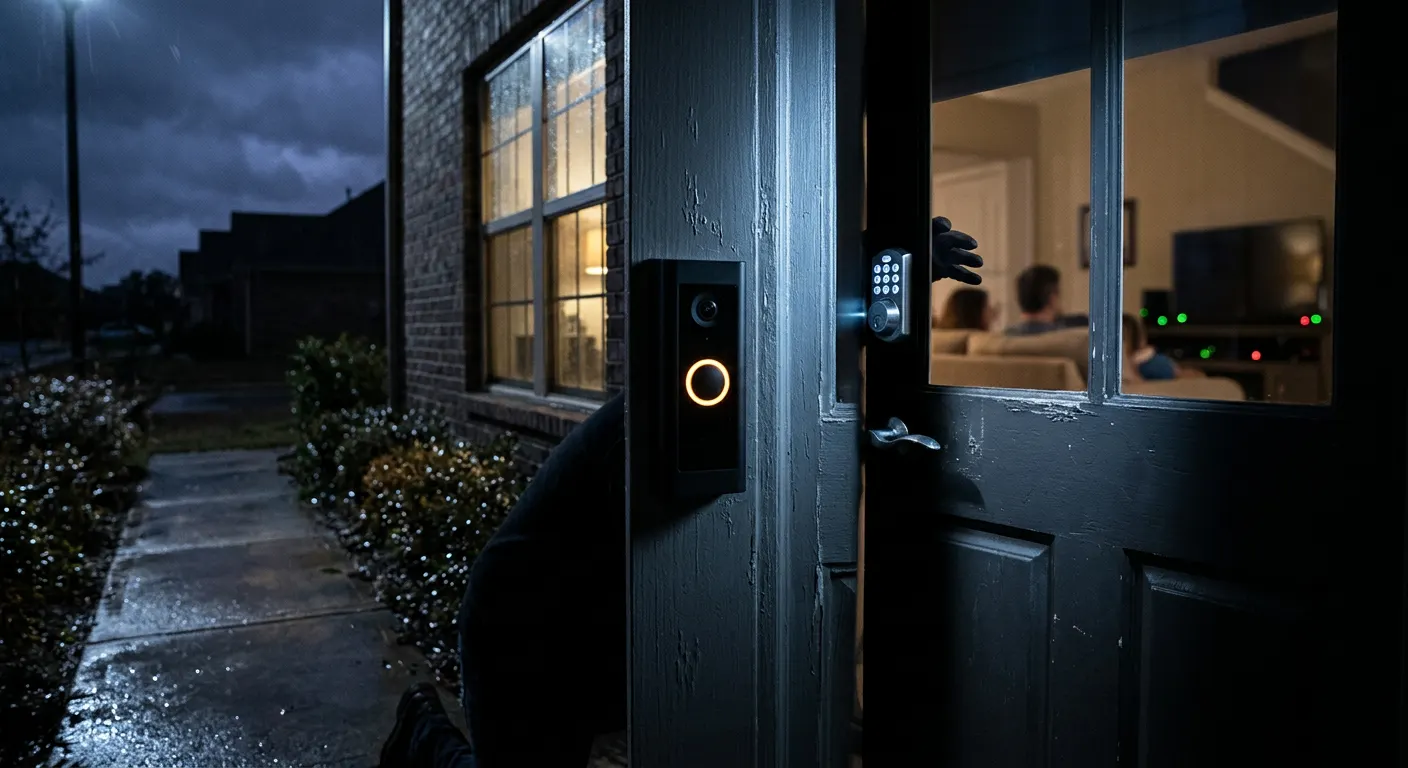
A hijacked smart lock can unlock your front door remotely. Criminals who’ve accessed a home’s smart lock system have the ability to unlock doors without being physically present — or to remotely let an accomplice in. This bridges the gap between cybercrime and physical burglary in an entirely new way.
Attackers can also monitor a household’s smart lock activity logs to learn when residents leave and return, identifying windows of time when the home is empty.
3. Scouting for Physical Break-Ins
Even without triggering a lock, access to exterior cameras and doorbells gives criminals a live intelligence feed on a property. They can observe daily routines, confirm when packages arrive (and go unattended), and monitor for patterns that indicate the best time for a physical break-in.
Security researchers documented cases where hacked doorbell cameras were sold as “access packages” on dark web forums — essentially giving buyers a live surveillance feed of a targeted property without the home occupants knowing.
4. Data Theft and Account Harvesting
Many smart home hubs and device apps store Wi-Fi credentials, location data, and in some cases, payment information. A 2024 investigation found that a discount smart doorbell’s companion app was secretly transmitting users’ Wi-Fi passwords to a foreign server. Another low-cost camera brand was found storing user passwords in plain text, resulting in thousands of live feeds being leaked online.
Real Incidents: When Smart Homes Became Crime Scenes
In a widely reported case that has become emblematic of the threat, two men in the United States hijacked more than a dozen Ring doorbells, called police with false emergency reports at each targeted address, and livestreamed the resulting police responses on social media — watching through the hacked cameras in real time as officers arrived and confronted confused homeowners. They even spoke to police through the doorbell speakers while taunting them.
In another case, a UK couple began receiving alarming false motion alerts from their smart doorbell system after a hacker gained access. The hacker triggered the alerts deliberately to cause distress — then demanded payment to stop.
A Consumer Reports investigation revealed that cheap smart video doorbells from less-known brands had critical security flaws, including one model that could be hijacked simply by downloading a companion app and pairing it with any nearby doorbell — no password required.
The Guest Wi-Fi Solution Most People Don’t Use
One of the most effective and accessible protections against smart home hijacking costs nothing and takes about ten minutes to set up: a dedicated guest Wi-Fi network for your smart home devices.
Most modern routers allow you to create a separate wireless network — often called “Guest” — that is isolated from your main network. By connecting your smart devices (cameras, doorbells, smart locks, smart TVs, thermostats) to the guest network instead of your primary network, you create a firewall between those devices and your computers, phones, tablets, and anything else that contains sensitive information.
If a criminal compromises your smart doorbell through the guest network, they cannot use that access as a stepping stone to your laptop or your personal files. The isolation contains the damage.
Security experts universally recommend this as the single most impactful thing an average consumer can do to reduce smart home risk.
How to Protect Yourself
Smart home hijacking sounds technical, but most of the defenses are simple and can be implemented by anyone.
1. Change Default Passwords Immediately — On Every Device
The moment you set up any smart home device, change its default username and password. Use a strong, unique password (a mix of letters, numbers, and symbols, at least 12 characters). Never use the same password across multiple devices.
2. Create a Dedicated Guest Wi-Fi Network for IoT Devices
Log into your router’s settings (usually accessible at 192.168.1.1 or 192.168.0.1 in a browser). Find the guest network option and enable it. Connect all smart home devices — cameras, doorbells, thermostats, smart locks, smart speakers — to this isolated network. Keep your computers, phones, and tablets on your main network.
3. Keep Firmware Updated
Device manufacturers regularly release firmware updates that patch security vulnerabilities. Check for updates in each device’s app, or enable automatic updates where available. This is especially important for cameras, doorbells, and routers.
4. Disable Features You Don’t Use
Many smart devices have features that are enabled by default — remote access, UPnP (Universal Plug and Play), and cloud storage — that expand your attack surface. Disable any feature you don’t actively use.
5. Buy From Reputable Brands
Cheap smart home devices from unknown brands are significantly more likely to contain security vulnerabilities, ship with permanent default credentials, or send data to unsecured or foreign servers. Stick to established brands that have publicly documented security practices and a track record of issuing patches.
6. Audit What’s on Your Network
Use your router’s app or admin interface to see every device connected to your home network. If you see a device you don’t recognize, change your Wi-Fi password immediately and investigate.
7. Cover Indoor Camera Lenses When Not in Use
For indoor cameras used for specific purposes (monitoring a child’s room, checking on a pet), consider cameras with a physical privacy shutter — or simply cover the lens with tape when not needed. No software vulnerability can defeat a covered lens.
8. Report Suspicious Activity
If you suspect your smart home devices have been accessed without your permission, change all associated passwords, contact the device manufacturer’s support team, and file a report with the FBI’s IC3 at ic3.gov. Document any unusual device behavior as evidence.
The smart home revolution has brought genuine convenience to millions of households. But convenience and security are not the same thing — and right now, far too many connected homes are operating with the digital equivalent of a key left under the welcome mat.